Blog
How to report objectives
Track nodes, vortices, cores, and chests on the map or in Discord — paste a screenshot or fill it in by hand.
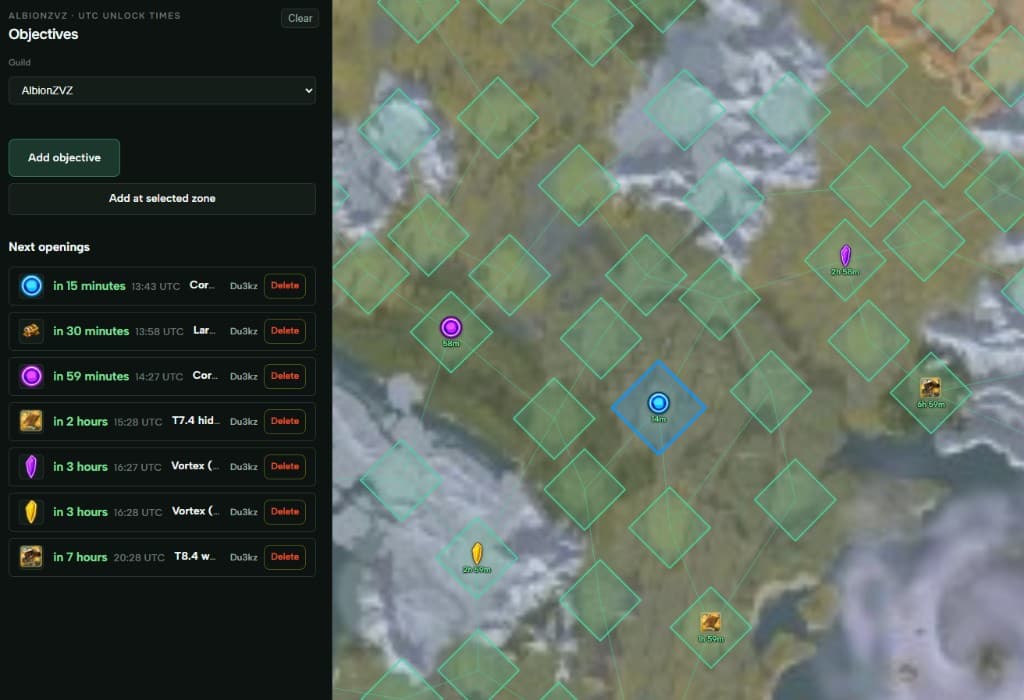
You can use AlbionZVZ to report and keep track of objectives — nodes, vortices, cores, chests, that kind of thing. It is pretty straightforward once you know where to click.
Where to start
Open Objectives from your guild dashboard, or go to the map and open objectives from there. Same place either way.
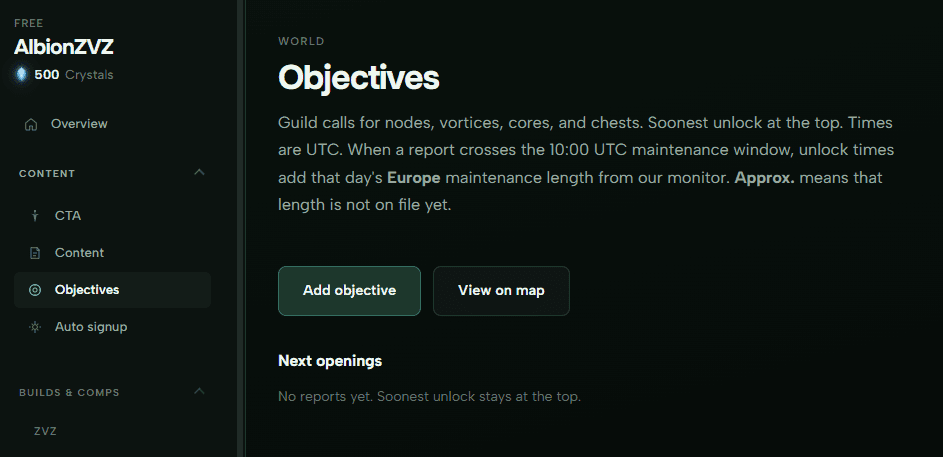
Hit Add objective.
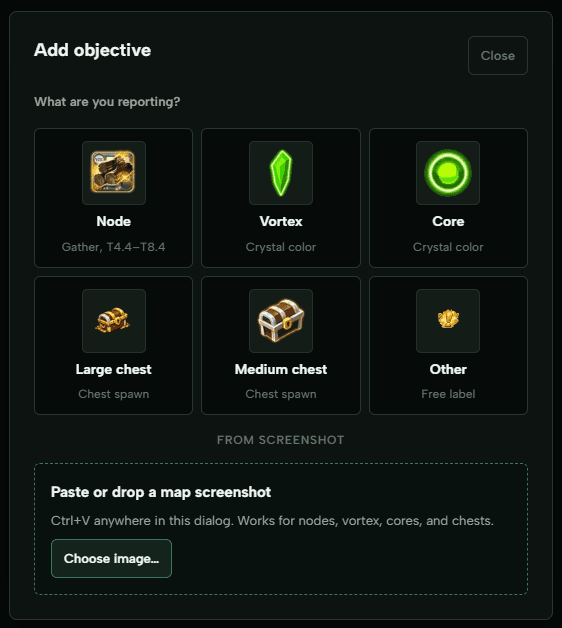
Two ways to add one
Paste a screenshot (fastest)
Take a screenshot of the objective on the map in-game — like when the popup shows the timer. Open the Add objective dialog and paste (Ctrl+V works anywhere in that popup). You can also drop an image or use Choose image….
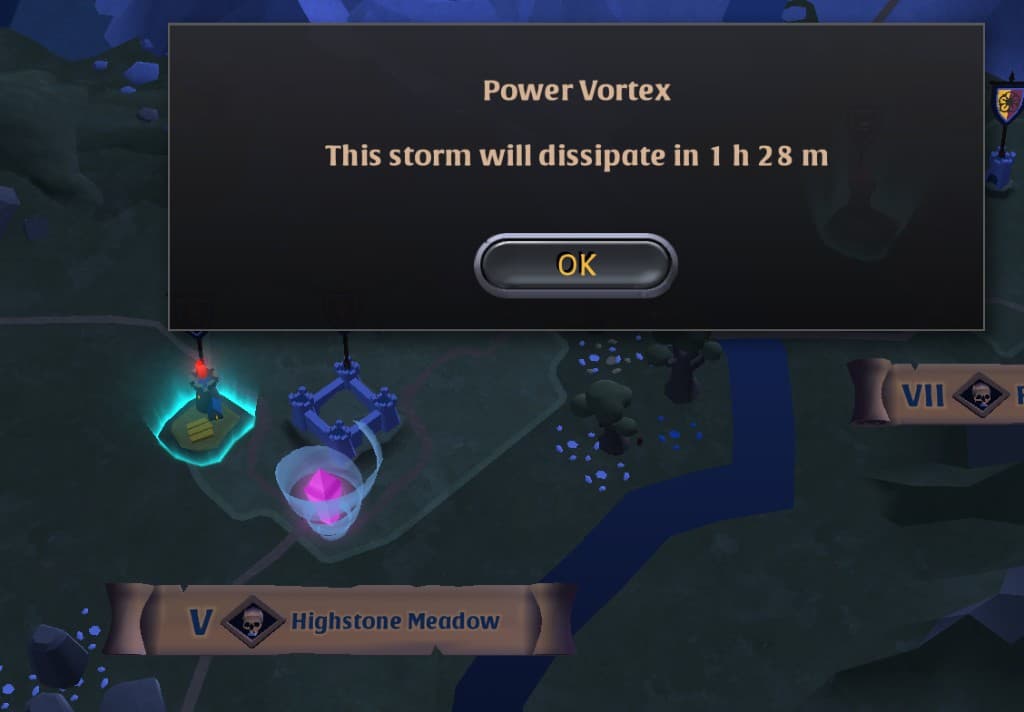
The site reads the details and shows you a confirm screen. Check it, tweak if something is off, then post.
Tip for cores and vortices: make sure the crystal / vortex is clearly visible in the shot. The popup text does not always tell you everything — the visual helps.
Fill it in manually
Or just pick the type on the grid (Node, Vortex, Core, chest, Other) and enter the details yourself. Same dialog, no screenshot needed.
See everything on the map
After you post, objectives show on the map with timers. Soonest unlock stays at the top of the list.
Discord
You do not have to live on the website.
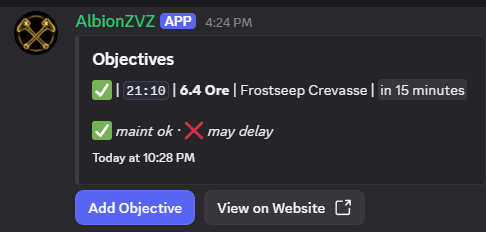
/objective add— paste an image (same screenshot flow as the site)./objectives— posts a live board in the channel. List updates as people add or remove reports. Buttons to add more or open the map on the site.
More detail
Full reference (maintenance window math, buttons, permissions): Objectives and Discord commands.
If something parses wrong from a screenshot, fix it on the confirm step before posting — or add it manually and tell us what the reader got wrong so we can improve it.