Blog
Comp build image generator
Export a shareable PNG of your ZvZ comp — guild name, builds by playstyle, and an official Albion wallpaper background.
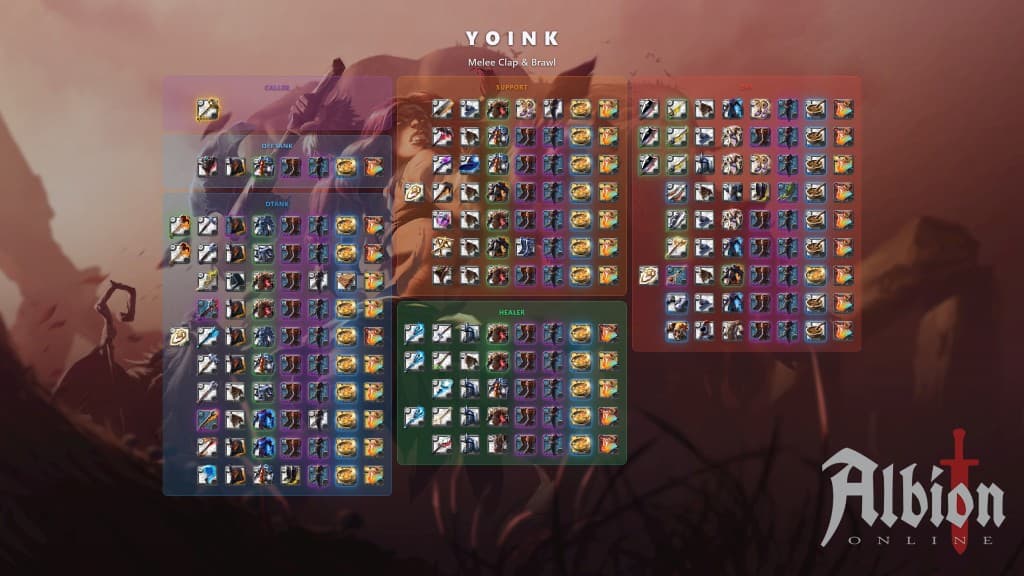
We added a comp build image generator — turn a composition into a single PNG you can drop in Discord, pin in a channel, or send to callers before mass. Guild name up top, comp title underneath, builds grouped by playstyle (Caller, DTank, Support, DPS, Healer, and the rest) with gear icons on an Albion wallpaper.
How to make one
Open Comps in your guild dashboard and click Export build sheet.
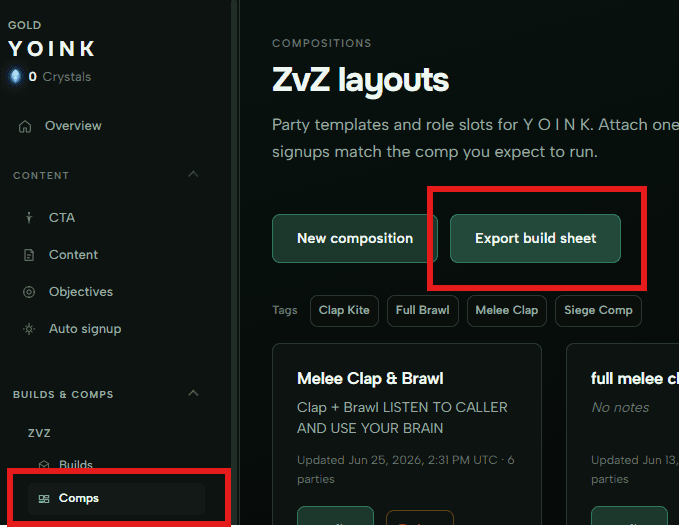
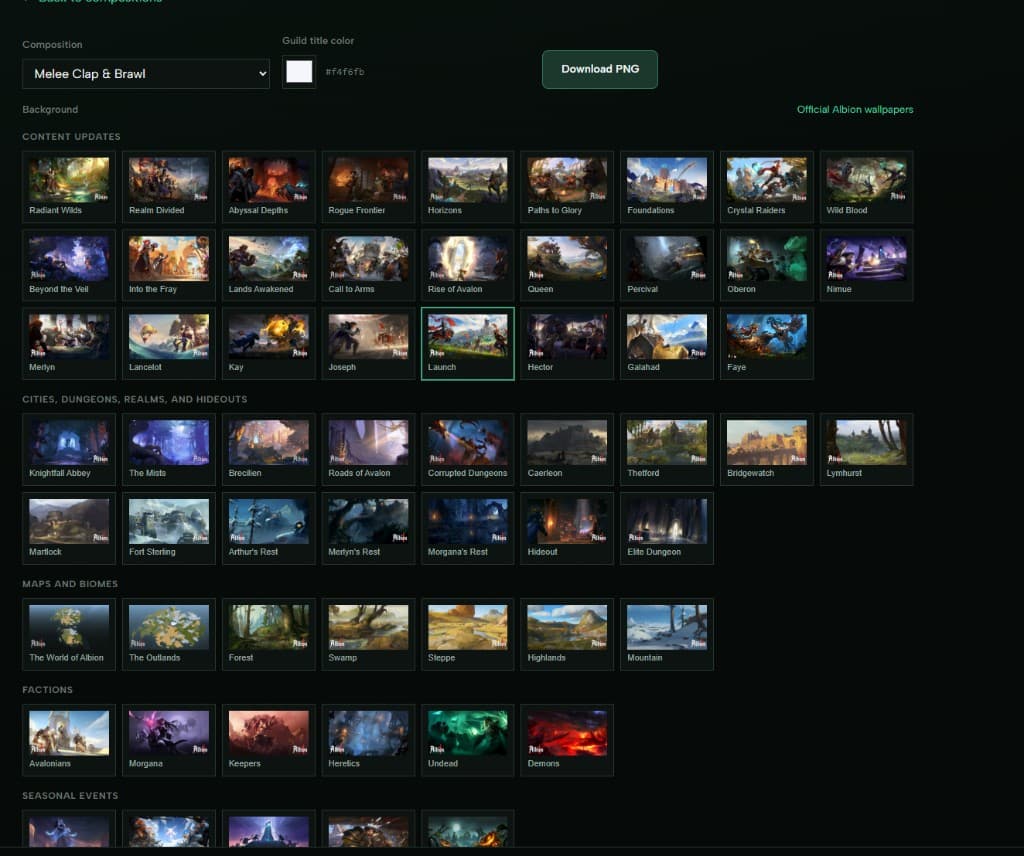
On the export page:
- Pick your composition from the dropdown.
- Guild title color — change the color of your guild name if you want (default is white).
- Background — browse official Albion wallpapers by category and click a thumbnail.
- Scroll down to preview the full image.
- Download PNG at the top when you are happy with it.
The sheet pulls builds from the comp automatically. Fill roles need to be real guild builds in the composition — Fill placeholders and missing builds are skipped.
Tips
- Set up your builds and composition first; the export is only as good as what is in the template.
- Large comps with many builds still fit — the layout scales icon size so everything stays on the image.
- Wallpapers come from Albion’s official gallery; we proxy them so the PNG export embeds reliably.
Want a different layout, font, or extra fields on the sheet? Let us know — we are still iterating on this one.