Blog
Welcome to AlbionZVZ — what we built and why
Why I built AlbionZVZ — the massing tool I wish I had for casual PvE and hardcore ZvZ guild management.
What is AlbionZVZ, and why did I make it?
So why AlbionZVZ? The goal is to build the website I wish I had when I was doing guild management. I have led guilds focused on more casual PvE and more hardcore ZvZ, and one thing that has always been missing is a good way of massing for content. There are a lot of alternatives out there, but none of them really did what I needed.
I tried Discord bots and signing up in threads — tedious for the caller, or no real control over who plays what. Google Sheets was the next best thing, but it is not very user-friendly. Finding the build, changing comp, setting the sheet up… it all takes a ton of time.
That is why I am building AlbionZVZ. I am making what I wish I had when I was managing guilds to make my life easier. Now I am hoping it can make yours easier too.
This post is a quick walk through the main features. I will go deeper on some parts in future blog posts and link them here when they are up.
Event signups
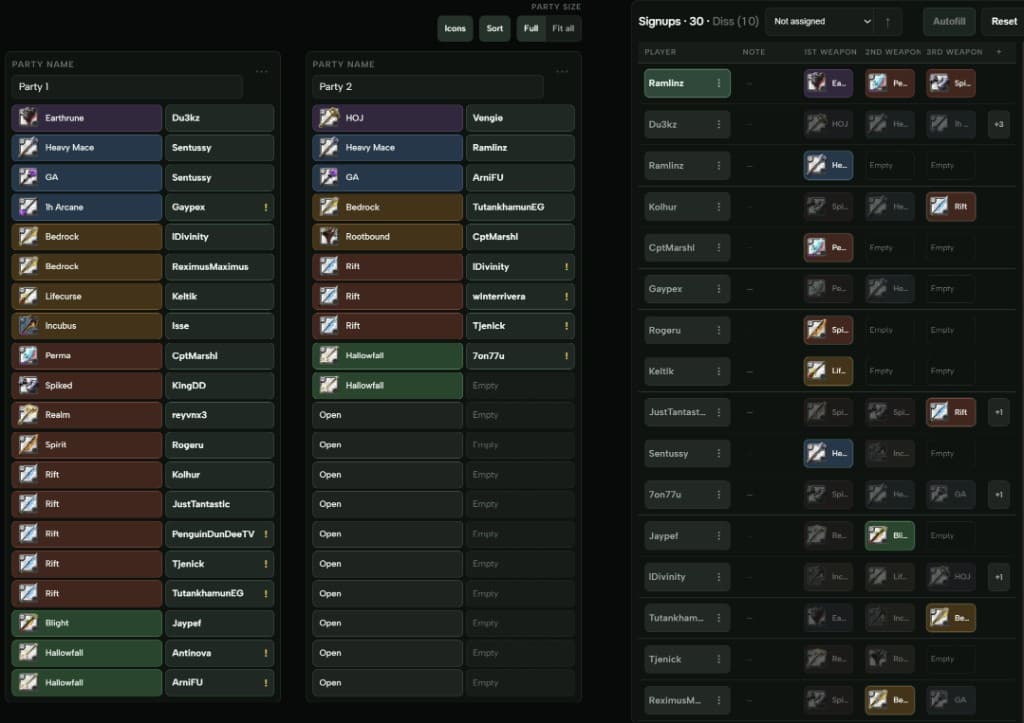
One of the main features is event signups — everyone on one roster, builds attached, parties when you need them.
You get a share link for callers, or the Discord bot can post it. Same sheet you see in the dashboard.
Builds (and the item picker)
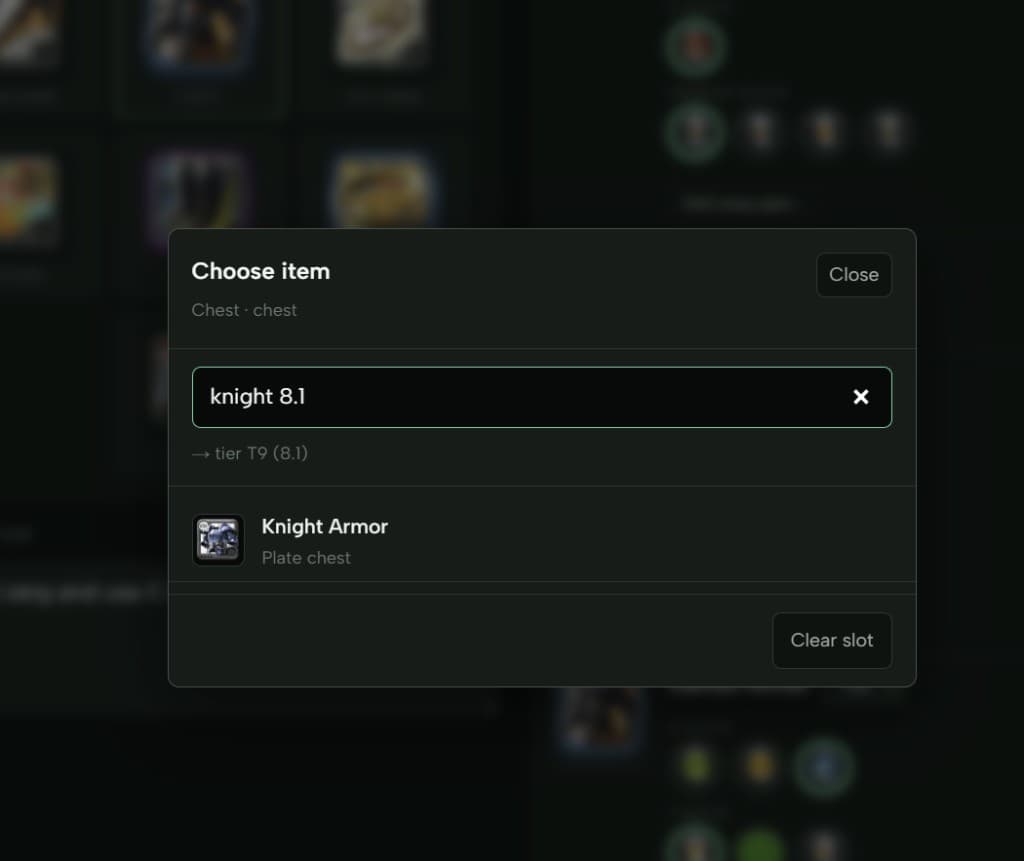
Creating builds in Albion has always been tedious. I wanted a visual picker: click a slot, search for your item, pick abilities. You can type stuff like knight 8.1 and it figures out the tier.
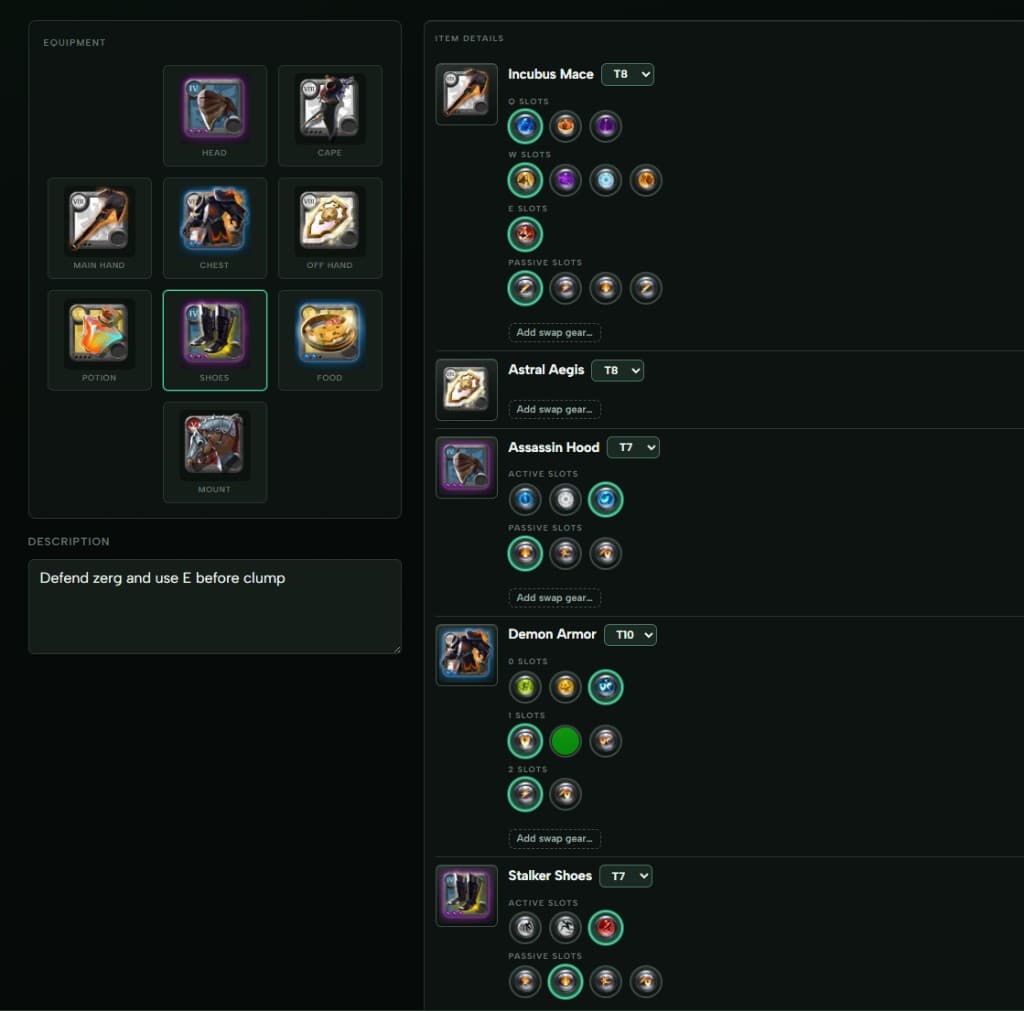
Save the build once, use it everywhere else on the site.
Compositions
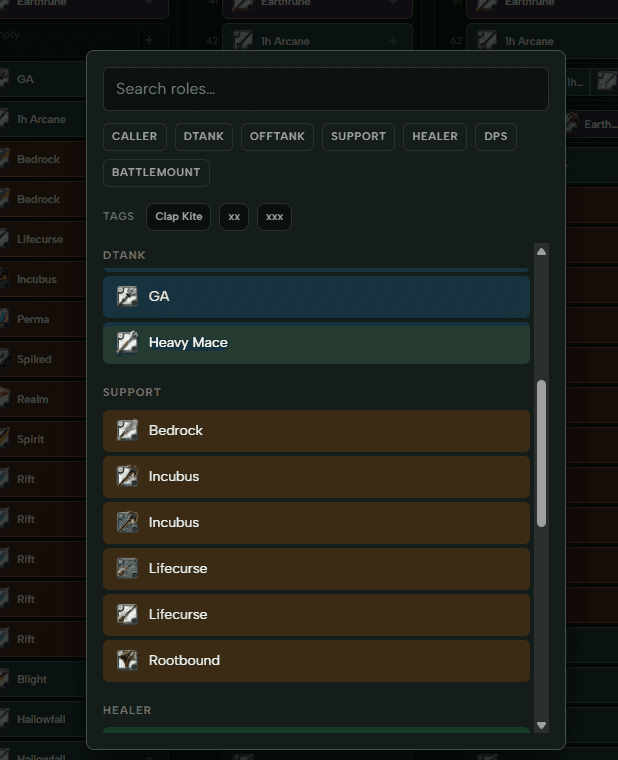
Once you have builds, go to Compositions and make a comp for your next mass.
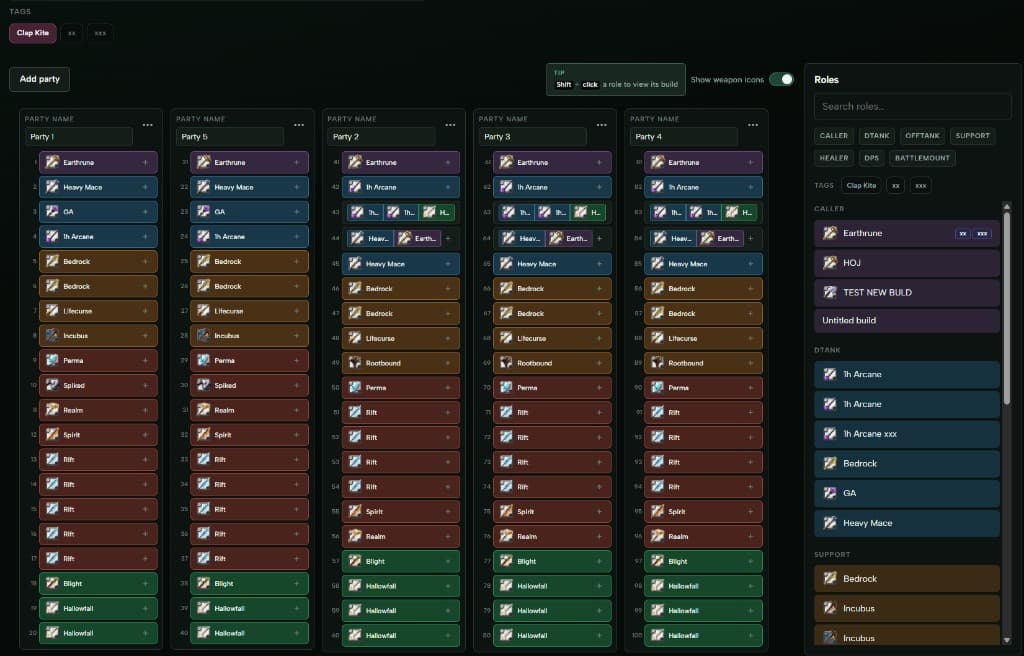
Click a party slot, pick which build goes there. You can also hit + on a slot to allow multiple roles on one position if you are fine with a few options.
Creating your first CTA
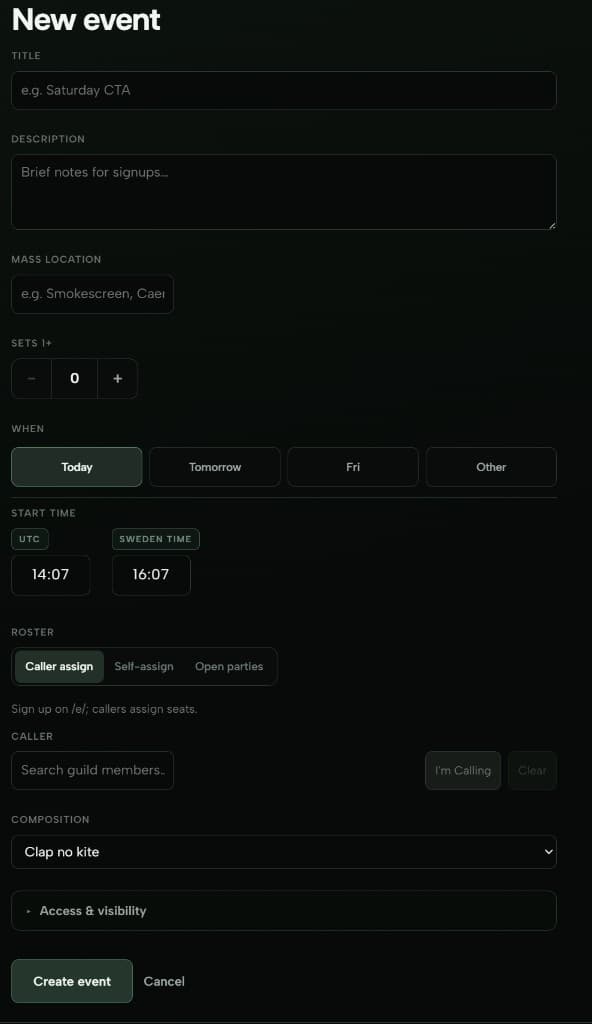
Builds + comp ready? Go to CTA in the guild dashboard and hit New event.
You set the usual stuff: where you mass, how many sets, notes for the raid, what time (UTC), who is calling, which comp to use.
How do you want players on roles?
This bit matters. Under Roster:
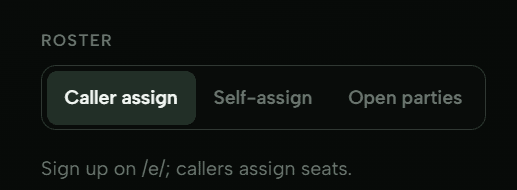
- Caller assign — you place everyone by hand after they sign up. Old school sheet vibe, but on the website.
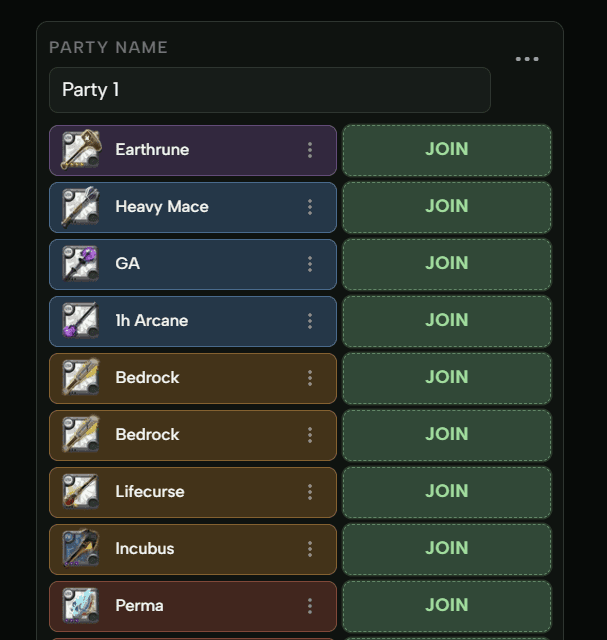
- Self-assign — players click Join on the slot they want. You can still move people around later.
- Open parties — no premade comp for this one; people pick from guild builds themselves.
Access settings
For who can sign up and who sees the list:
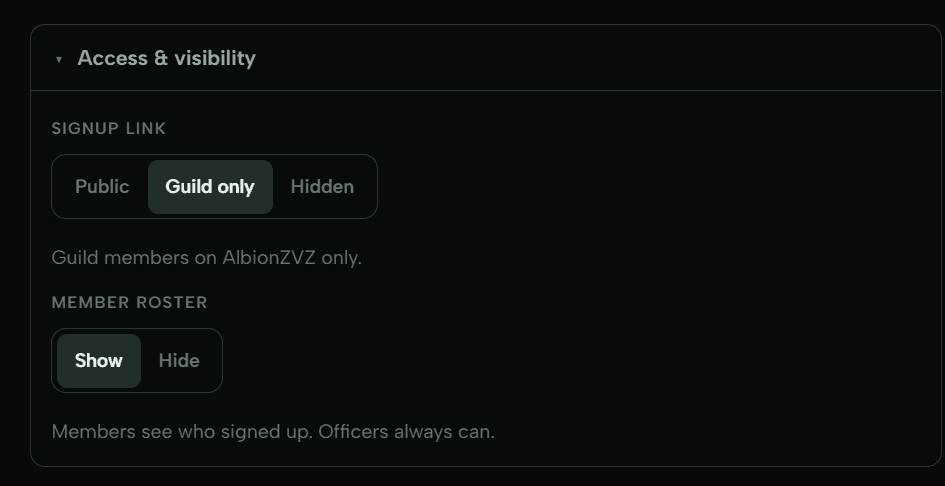
- Public — anyone with the link can join.
- Guild only — only people registered to your guild on the site.
- Hidden — officers / people with the direct link.
You can also hide signups from regular members (officers still see everything).
More step-by-step stuff in the docs: Create an event.
Discord side of things
It is not only a website. Add the bot, run /link-server to connect your Discord to your guild on the site.
Then /cta when you want to ping an event:
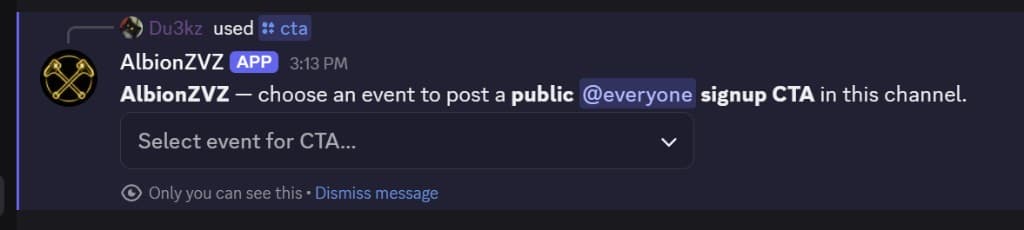
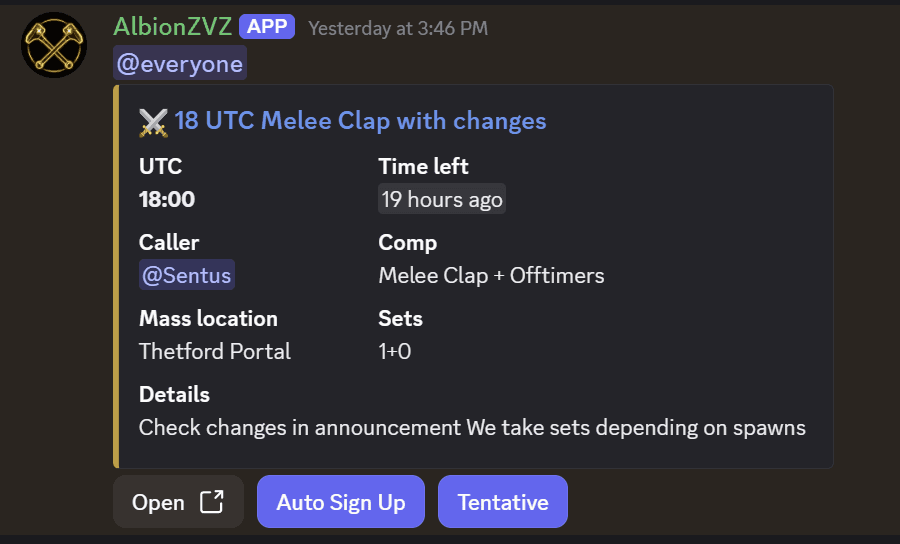
Pick the event, bot posts it:
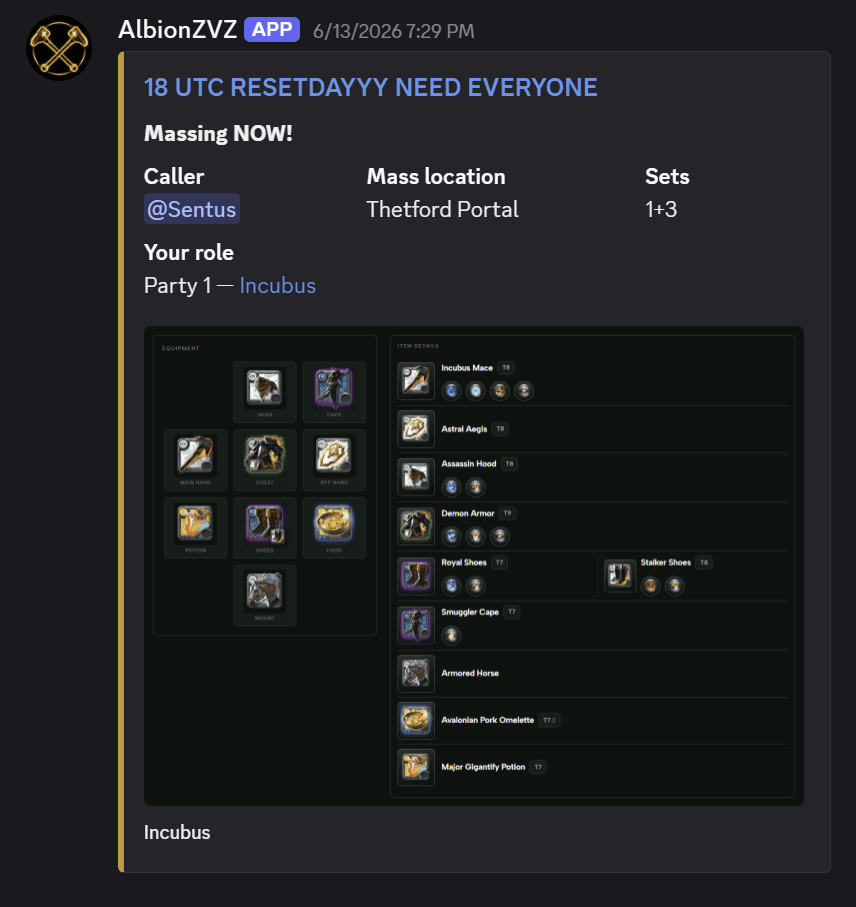
When everyone is on roles and you are ready to go — Ping members on the event page. We DM people the CTA info plus their build and party so you are not copy-pasting screenshots at the last second.
Missing from voice?
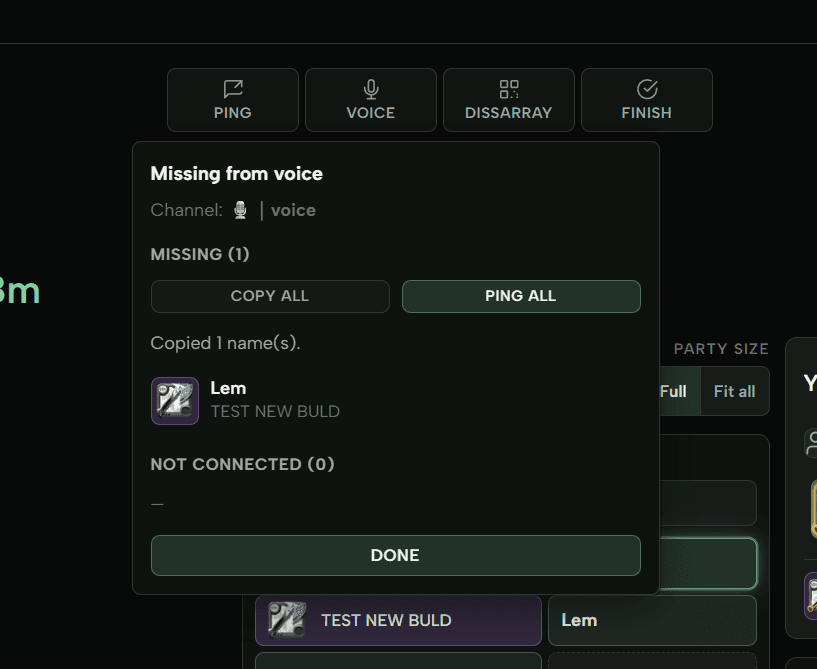
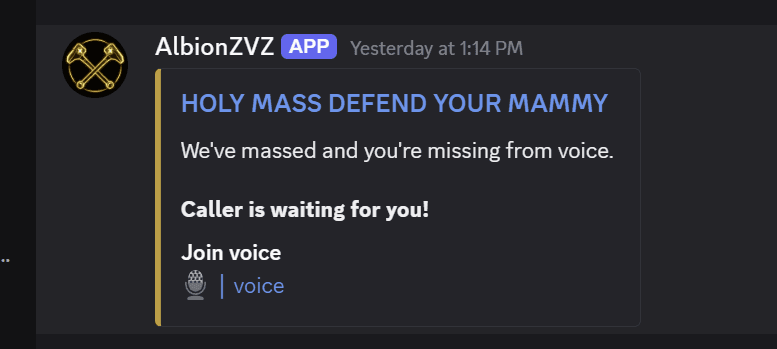
You mass and realize 30 signed up but only 27 in comms. On the event page, hit Voice — we check who is missing from the linked voice channel. Copy names or ping them to get in ASAP.
Objectives (screenshot instead of typing)
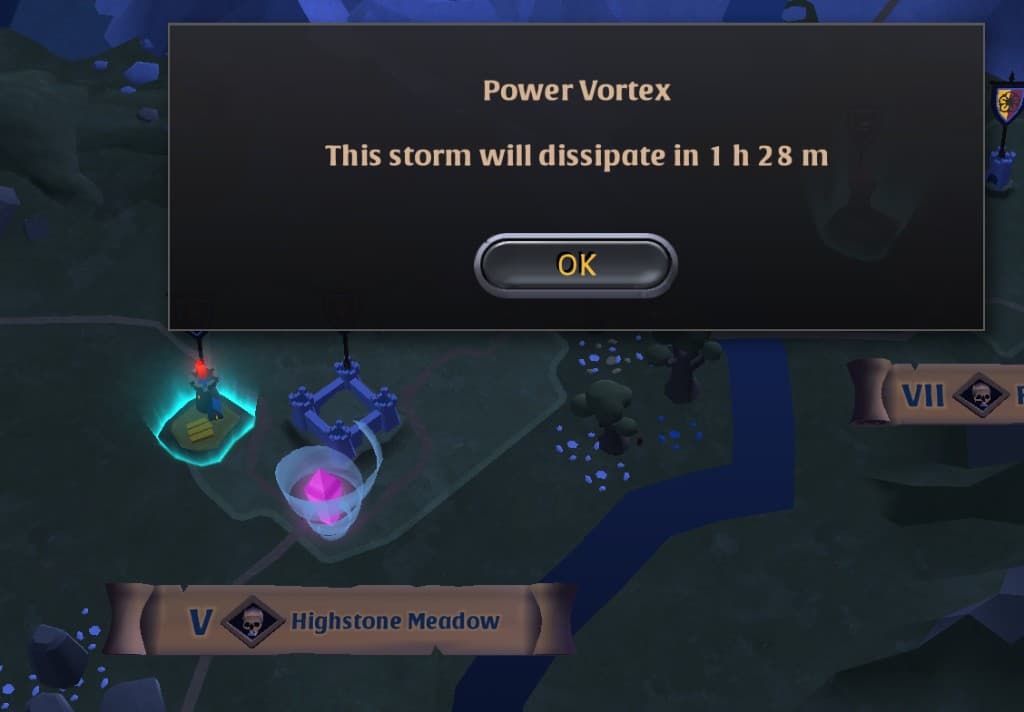
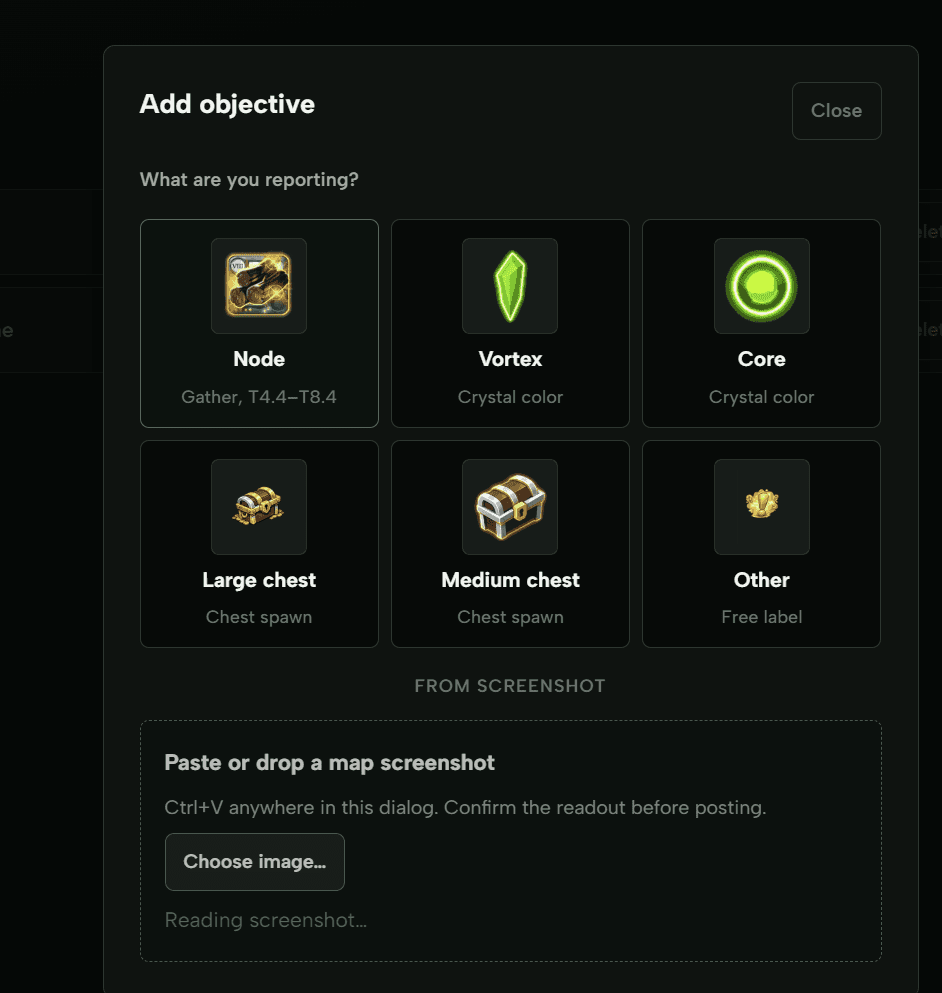
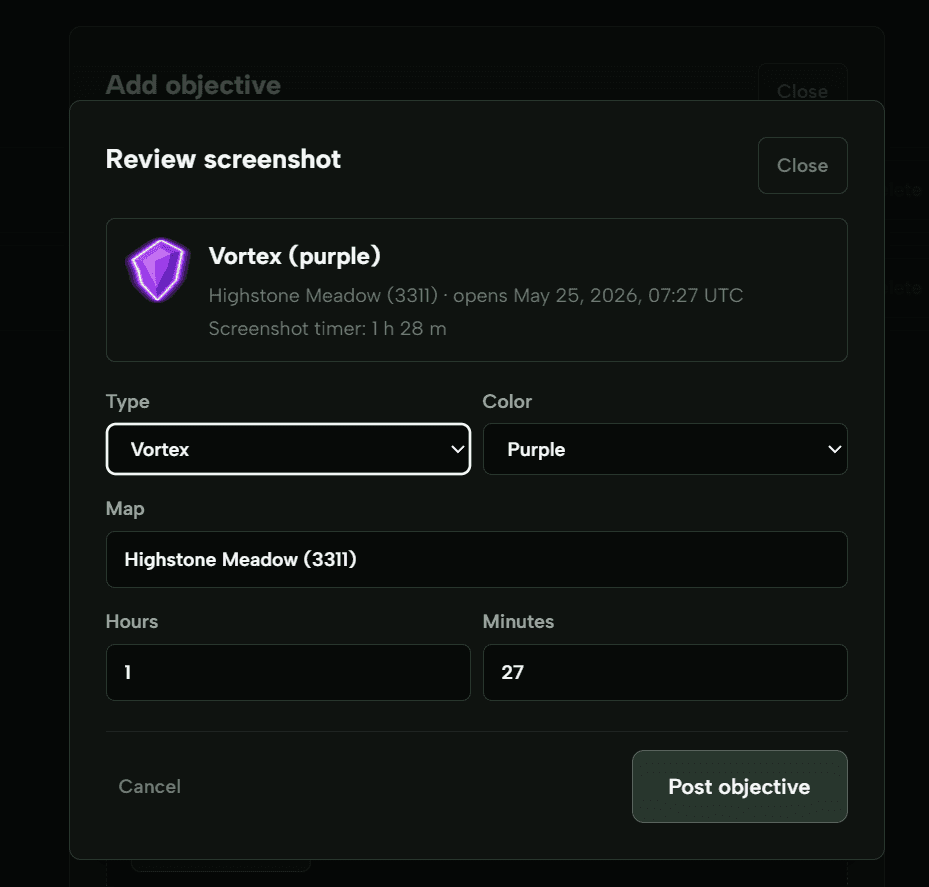
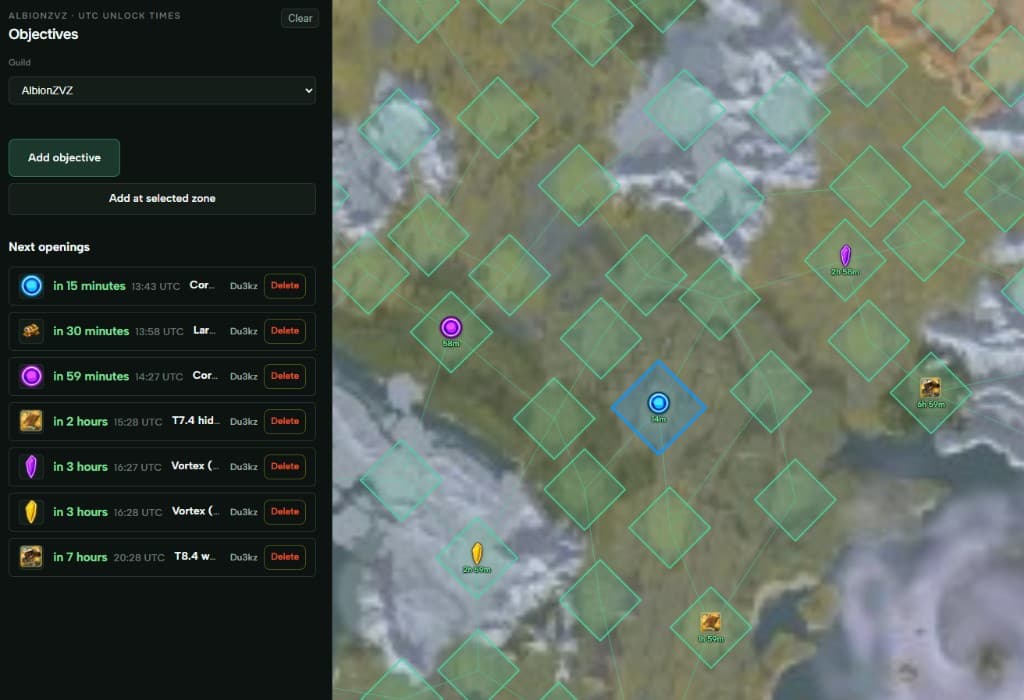
Reporting objectives used to mean typing zone + timer into Discord every time. On the map you can paste or drop a screenshot from the game, confirm what it read, and post it.
But that is not all
I will cover more in future posts. Stuff already here or coming along:
- Automatic payouts & regears after an event
- Discord role management based on in-game guild status
- Minigames to play with guildies while waiting on castle
- Stats on how you are massing
- Auto signups from one click
- And a bunch more
AlbionZVZ is a fan project — not affiliated with Sandbox Interactive.
I am looking forward to hearing feedback on how we can keep improving this. It is just the start. Hop in Discord if you want beta access or to tell me what is broken, or check the docs if you want to set up your guild.