Blog
How to run payouts and regears
After a finished event, use the payout wizard for loot split, killboard regears, individual bonuses, and one-click balance updates.
Once you have marked an event finished, you can use our internal balance system to handle payouts and regears — no spreadsheet required.
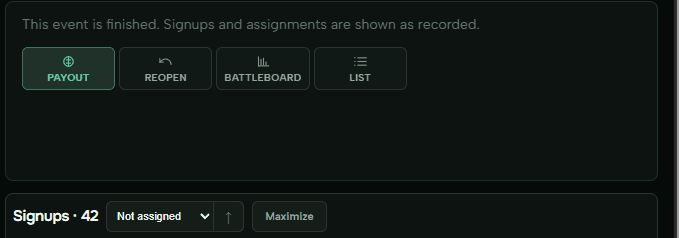
Using your own balance tool? Hit List to copy all names of assigned players, then run your process elsewhere.
Otherwise click Payout and walk through the wizard.
Step 1 — Loot split
Fill in what you actually got from the fight.
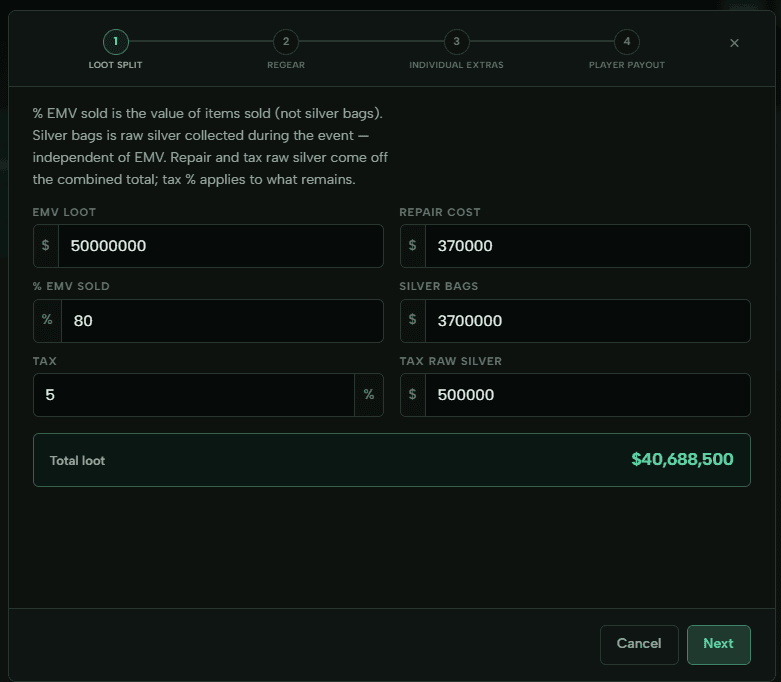
- EMV loot — total value of loot in items (not silver bags).
- % EMV sold — what you sell items at. Example: 80% means you keep 80% of item value.
- Repair cost — how much repairs cost.
- Silver bags — raw silver added on top. Put extra silver you want in the split here.
- Tax — percentage of loot the guild takes.
- Tax raw silver — raw silver the guild takes from the event.
Repair and tax raw silver come off the combined total; tax % applies to what remains. The Total loot line at the bottom is what flows into the next steps.
Step 2 — Regears
On the regear step you choose who gets regears. We pull deaths from the killboard automatically — verify amounts, edit per-build prices, or set limits (max sets per player, max % of loot split for regear).
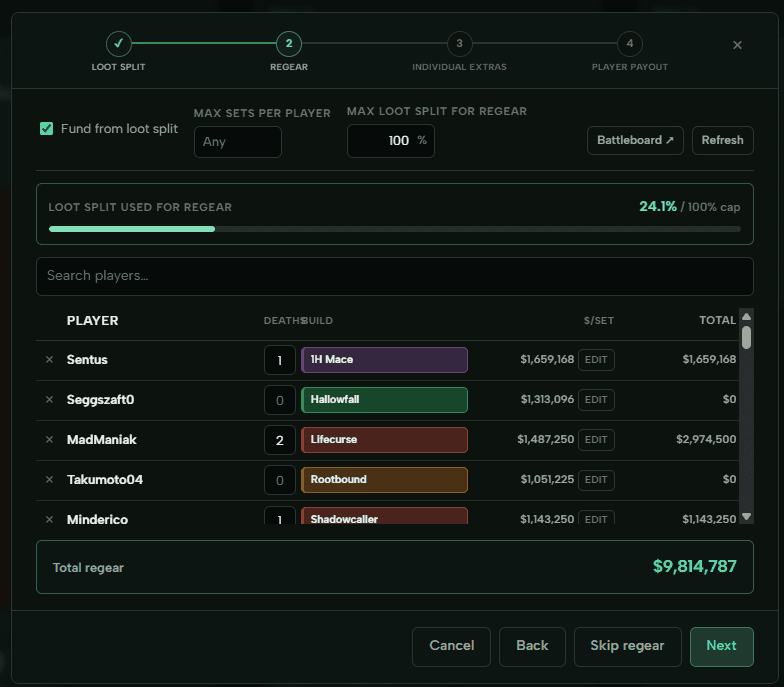
Important: players need their game account linked for automatic regear fetches to work.
Right now regears are silver only — item regears and more kill-review tools are on the way. If you need something specific here, let us know.
Set default prices ahead of time on regear prices so this step is mostly confirm-and-go.
Step 3 — Individual extras
Add fixed silver to specific players before the even split — looter pay, caller bonus, scout stipend, whatever your guild does.
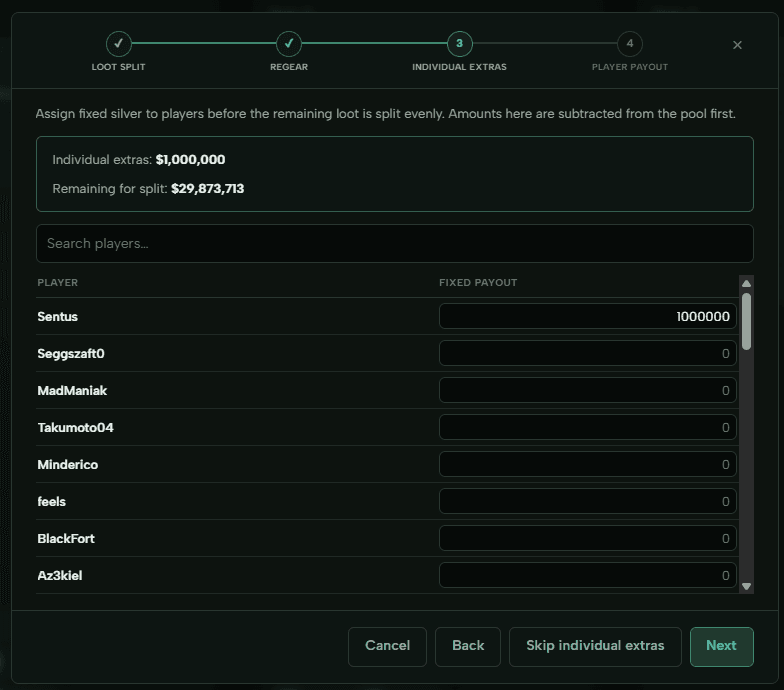
Those amounts are subtracted from the pool first. Everyone else splits what is left.
Step 4 — Player payout
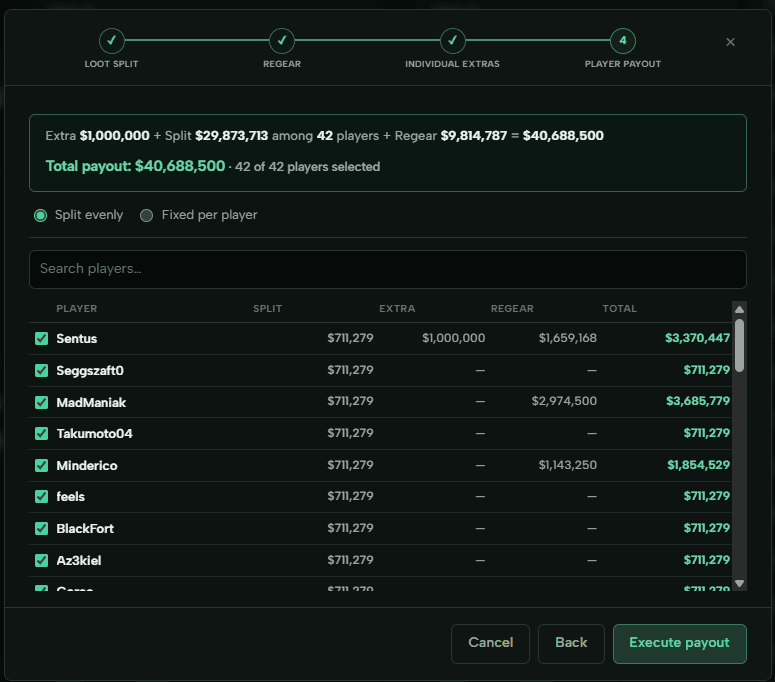
Last step: see the full breakdown per player. Uncheck anyone who should not receive a payment (no-shows, bench, etc.).
You get split, extras, regear, and total per row, plus the grand total at the top. When it looks right, click Execute payout to make it rain.
Balances update on the site right away. Members can check theirs on Balance; officers can use Discord /balance and /pay commands if your guild uses those.
More detail
Full reference: Payout and How to give regears.
Best of luck with the fights.